
MCP and Stranded Gas Pro: Connecting AI to Your Operations
What is MCP?
Imagine you have a brilliant assistant who knows everything about business strategy, can write reports in seconds, and never forgets a detail. That's what modern AI assistants like Claude can do. But there's a catch: by default, they can only see what you type to them. They can't check your calendar, read your emails, or access your business systems.
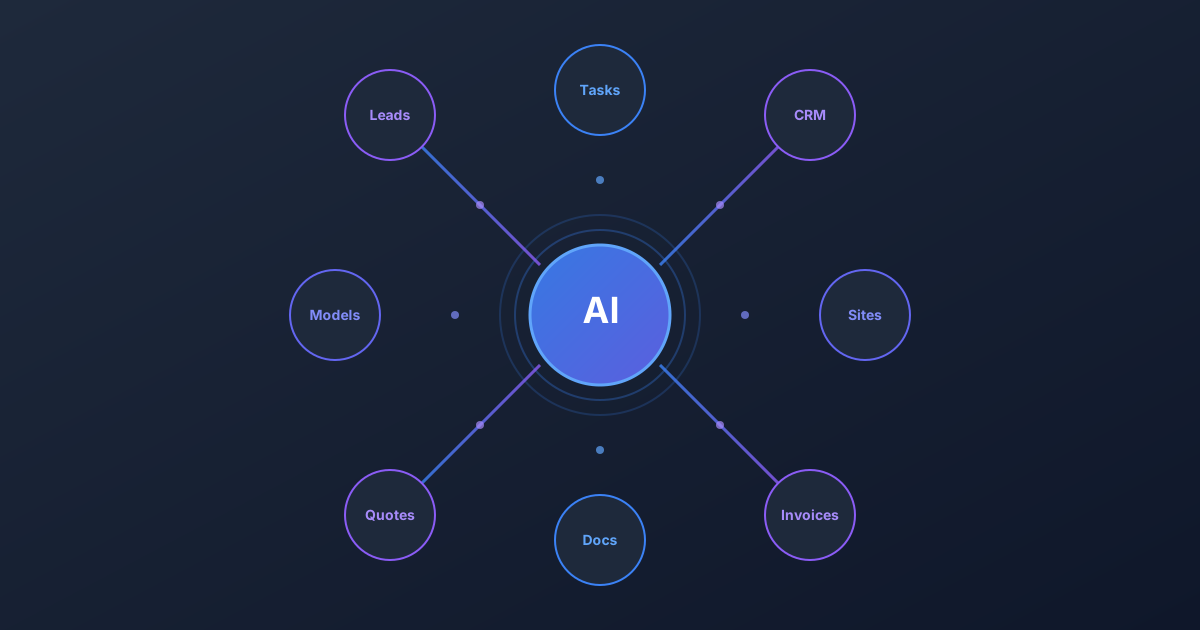
Model Context Protocol (MCP) solves this problem. It's a standard way for AI assistants to connect to external tools and data sources. Think of MCP like a universal translator that lets AI speak the language of your business software.
Without MCP, using AI looks like this:
- You: "What tasks are due this week?"
- AI: "I don't have access to your task system. Could you copy and paste your task list here?"
- You: spends 5 minutes copying data
- AI: finally gives you an answer
With MCP, it looks like this:
- You: "What tasks are due this week?"
- AI: checks your task system directly "You have 7 tasks due: [lists them with details]"
MCP transforms AI from a smart conversation partner into an actual assistant that can see and act on your real data.
Why AI Without Connections Is Limited
Modern AI is powerful. It can analyze complex documents, write code, draft contracts, and reason through business decisions. But without access to your systems, it's like having an expert consultant who can only work with whatever papers you happen to bring to the meeting.
Consider what's missing when AI can't connect to your tools:
No context about your work. The AI doesn't know what projects you're managing, what deals are in your pipeline, or what equipment you're tracking. Every conversation starts from zero.
Manual data transfer. You become the messenger, copying information from your systems into the AI and then copying its suggestions back out. This is slow and error-prone.
No ability to take action. Even when AI gives you the perfect advice, you still have to manually execute every step. "Create a task for follow-up" means you go create the task yourself.
Fragmented workflows. Your CRM is separate from your AI, which is separate from your task management, which is separate from your document storage. Nothing talks to anything.
This is the pre-MCP world: AI as a brilliant but isolated brain in a jar.
SGP's Foundation: Site, Deploy, Operate
Stranded Gas Pro (SGP) is built around the complete lifecycle of energy projects:
Site. Finding and evaluating locations for gas-powered operations. This includes the stranded gas finder, site listings marketplace, financial modeling, and gas quality analysis. Before you build anything, you need to know where the opportunity is and whether the economics work.
Deploy. Turning an approved site into an operational project. This covers equipment sourcing through the marketplace, CRM for managing vendor and partner relationships, quotes and invoicing, and project task management. Deployment is where plans become reality.
Operate. Running and maintaining live sites efficiently. Site management, data rooms for documentation, gas nominations for scheduling deliveries, and operational logging. Once you're running, operations need to be smooth and documented.
Each phase generates critical data: site evaluations, financial projections, equipment specs, vendor communications, contracts, invoices, operational logs, and more. This data lives in SGP because that's where the work happens.
MCP + SGP: AI That Actually Runs Your Business
When you connect an AI assistant to SGP via MCP, everything changes.
Pull Information Instantly
Instead of navigating through screens to find what you need, just ask:
- "What's the status of the Permian Basin site evaluation?"
- "Show me all open opportunities over $500K"
- "What tasks are overdue across my active projects?"
- "Which invoices are pending payment?"
The AI fetches the information directly from SGP and presents it however makes sense—summarized, compared, filtered, or analyzed.
Move Projects Forward
AI can take action, not just advise:
- "Create a follow-up task for the Martinez site visit next Tuesday"
- "Add a note to the Apex Energy opportunity about today's call"
- "Update the quote for Project Delta with the revised pricing"
- "Mark the equipment inspection task as complete"
Each of these happens directly in SGP. No copying, no manual data entry, no forgotten follow-ups.
Automate Entire Workflows
This is where MCP truly shines. Complex multi-step processes that used to require you to bounce between screens can happen in a single conversation:
"After every site visit, create a follow-up task for the project manager, add a summary note to the CRM record, and update the opportunity status to 'Site Visited'."
Or even more sophisticated:
"Review all tasks due this week across my sites. For any that are overdue, send me a summary grouped by site, and create escalation tasks for items more than 3 days late."
The AI understands your intent and executes across multiple SGP tools seamlessly.
Getting Started with MCP on SGP
Connecting AI to your Stranded Gas Pro account takes just a few minutes.
For Claude Desktop (recommended):
- Open Claude Desktop settings
- Go to Settings → Connectors → Add custom connector
- Enter the SGP MCP endpoint:
https://api.strandedgas.pro/api/mcp/ - Claude handles authentication automatically via OAuth
For other AI tools: Generate an API key in your SGP settings and configure your MCP-compatible AI client with the endpoint and Bearer token authentication.
Once connected, your AI assistant can access all the SGP tools your account has permission to use—tasks, sites, CRM, documents, invoicing, and more.
The Future of Energy Operations
MCP isn't just a technical feature. It represents a fundamental shift in how energy businesses operate.
Instead of humans being the glue between different systems, AI becomes the orchestration layer. Your expertise shifts from data entry and status tracking to strategy and decision-making. The routine work that used to consume hours each week happens automatically or with a simple instruction.
SGP was built to be the operating system for gas-powered projects. MCP makes AI the user of that operating system, working alongside you to site, deploy, and operate more efficiently than ever before.
Key Takeaways
- MCP is a standard protocol that lets AI assistants connect to external tools and data
- Without connections, AI is limited to only what you manually share with it
- SGP covers the full project lifecycle: Site (finding opportunities), Deploy (building projects), Operate (running sites)
- MCP + SGP enables AI to pull information, take actions, and automate workflows directly in your business systems
- Setup takes minutes via OAuth in Claude Desktop or API key for other clients
Ready to connect AI to your operations? Generate your API key in SGP Settings or add the MCP connector in Claude Desktop today.